
UpFoto - AI Photo Enhancer
AI Photo TeamPhotography
4.516.61K Reviews
- Version
- 1.4.3
- Installs
- 100.00M
- Age Rating
- Everyone
Screenshots
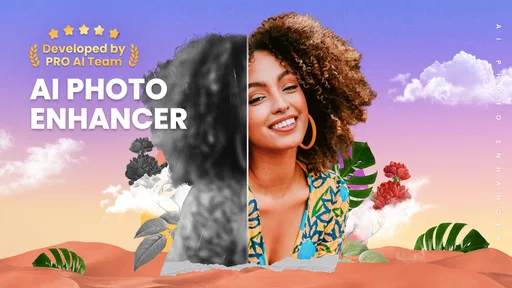

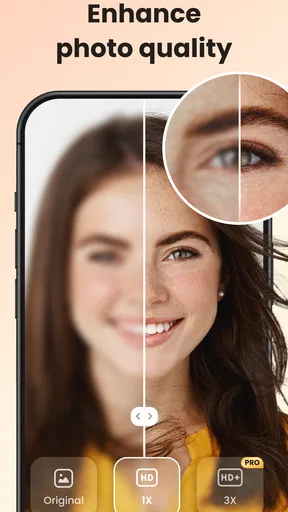

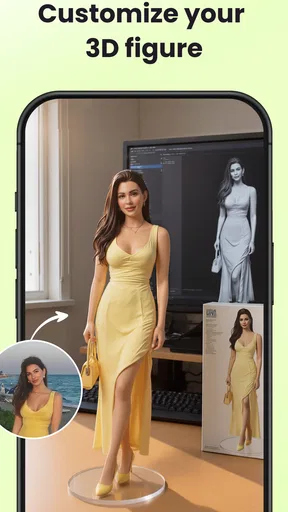
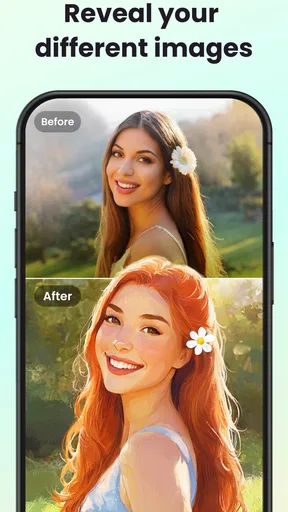
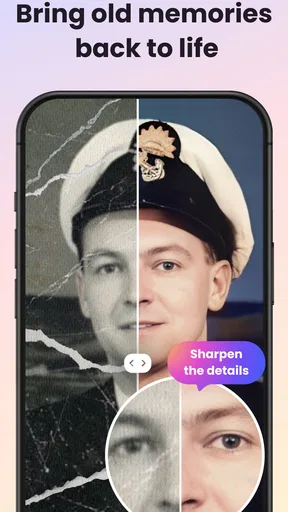
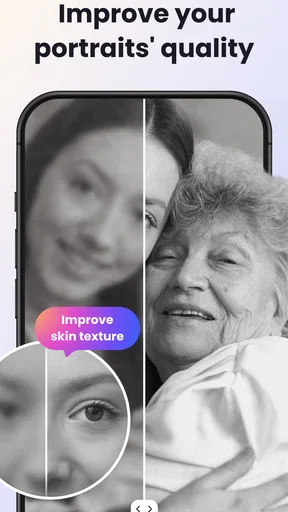
Our Review of UpFoto - AI Photo Enhancer
 Analysis by Appyee
When an old picture is too soft to share, I usually want a quick improvement rather than a complicated editing session. That is the job I turn to UpFoto - AI Photo Enhancer for: it uses AI to work on photos and videos, with a particular appeal for restoring, fixing, beautifying, and sharpening pictures. The key question is not whether it can make every image perfect, but whether its automatic changes make a meaningful difference to the image I actually want to keep.
Start with the photo, not the strongest effect
For an image that matters, I would begin with a copy or a version I can easily return to, then compare the result closely with the original. A restoration can make a face or an object easier to see, but a cleaner-looking image is not automatically a more faithful one. If the source is heavily blurred, tiny details may be difficult to recover convincingly; AI enhancement can make an image look clearer without bringing back information the camera never captured.
This distinction matters most with family pictures, old scans, and portraits. I look at eyes, hair, and the outline of the face first, because those are the places where excessive smoothing or artificial-looking detail is easiest to notice. For a photo that will be viewed small on a phone, a modest improvement may be all it needs. For a print or a close crop, I would be more cautious and inspect the result before treating it as a definitive restoration.
How the automatic enhancement fits a real workflow
The appeal here is that I do not have to begin by learning a full editing tool. I can choose a photo, let the app process it, and judge the change in a side-by-side comparison. That makes the first decision simple: did the adjustment help this picture, or did it merely make it brighter and sharper? If the result feels too intense, I would rather keep the original than force an edit that no longer looks like the moment I remember.
A useful habit is to assess the image at two sizes. First, check the whole frame to see whether the overall lighting and color still feel natural. Then zoom in on the subject and edges to catch halos, softened skin, or details that look oddly crisp. This takes only a little attention, but it helps prevent the common mistake of judging an enhancement only by its more dramatic preview.
Where it earns a place on my phone
Imagine finding a dim, slightly blurry photo of a relative while sorting through an old album on your phone. You are not trying to create a studio portrait; you simply want the face to be easier to recognize before sharing it with family. That is a sensible use for an automatic enhancer: start with one meaningful image, compare the result, and save or share it only if the improvement feels believable.
It can also be useful when a picture is good enough to keep but not quite clear enough for a profile image, a small digital frame, or a message to friends. I would not treat it as a substitute for taking a better photo when I have the chance. For a new portrait, better light and a steady hand are more dependable than trying to reconstruct detail afterward.
Unpacking the Magic of AI
In the world of photo editing, AI is the new black. UpFoto leverages the power of artificial intelligence to turn your blurry, low-quality images into something that looks like it was shot with the latest DSLR. The first time I tried it, I was honestly skeptical. I mean, how much can an app really do, right?
But let me tell you, the results were pretty impressive. With just a few taps, the app enhanced the details and colors that I thought were long lost. It’s like turning a dull, cloudy day into a bright, sunny one. The AI works its magic by analyzing your photo and intelligently adjusting the lighting, contrast, and sharpness.
A User-Friendly Experience
Now, let's talk about the user interface, because who wants to fumble around a complicated app? Luckily, UpFoto keeps it simple. The layout is intuitive and straightforward. Right from the get-go, you’ll notice how easy it is to navigate through the options. Even if you're not tech-savvy, you'll find it smooth sailing.
All you need to do is upload a photo, and the app takes care of the rest. The processing time is speedy, so you’re not left twiddling your thumbs. And the best part? You get to see a side-by-side comparison of the original and enhanced versions. It’s pretty satisfying to witness the transformation right before your eyes.
Features That Stand Out
What truly sets UpFoto apart are its additional features. It offers a range of editing tools that allow you to tweak your photos even further. Want to adjust the saturation or add some cool filters? No problem. The app gives you the flexibility to make those final touches.
Moreover, the app supports batch processing. This is a lifesaver if you’ve got a whole album that needs sprucing up. Just select the photos, and let UpFoto do its thing. It’s efficient and a real time-saver.
Trade-offs, compatibility, and cost
Automatic enhancement is most helpful when I want a quick first pass, but it is not a replacement for deliberate editing. If I need precise control over a particular color, a careful crop, or a consistent look across a whole project, a conventional editor with hands-on adjustments is usually the better fit. UpFoto’s simpler approach makes sense for restoring a few personal pictures; it is less suited to someone who expects every output to match a carefully managed professional workflow.
Batch processing can save effort on a group of images, but I would not assume that one treatment will flatter every photo in an album. A faded portrait, a dark indoor snapshot, and a landscape have different problems. I would review the results individually, especially before replacing originals or sharing a set where consistent, natural-looking faces matter.
The app is free to install, with in-app purchases ranging from $1.99 to $99.99 per item. I would try the basic experience on a photo or two before deciding whether any paid option is worthwhile for my needs. Since the price range is broad, it is sensible to check the purchase details shown in the app before committing, rather than assuming every tool or use is included at no cost.
It is a photography app from AI Photo Team, rated for Everyone, and its current version is 1.3.8.109. It has a 4.5 average from around 1.4 million ratings, with over 100 million installs. Those figures suggest that many people have tried it, but they do not tell me whether a particular damaged image will improve; the side-by-side check is still the most useful test for my own photos.
Performance and Compatibility
I tested UpFoto on both Android and iOS, and it runs seamlessly on both platforms. For those concerned about storage, the app doesn’t take up much space, which is a huge relief. Plus, the app is regularly updated, ensuring compatibility with the latest OS versions and bringing in new features.
Another thing worth mentioning is the app's offline capabilities. You don’t always need an internet connection to enhance your photos, which is a huge plus if you’re on the go or have limited data.
Who benefits most from this kind of editing
I think this is a good match for people who want a low-effort way to make treasured older images more presentable, or who prefer an automatic starting point to learning a complex editor. Someone organizing a family album can try the enhancer on a handful of especially meaningful pictures, compare each result, and keep only the versions that still look like the people and places they remember.
By contrast, I would steer away from it as a primary tool if I needed exact retouching, a uniform commercial style, or reliable recovery from a severely damaged source. A scanner or a careful manual restoration workflow may be more appropriate for archival work, while a full-featured editor gives more control when I need to fine-tune an image. And if the original photo is already sharp and well lit, the best edit may be no edit at all.
One practical question is whether I should enhance an entire album at once. The batch option makes that possible, but I would use it selectively: first test a few representative pictures, then decide whether the same treatment works across the rest. Another is whether an enhanced file should replace the original. I would keep both when the image is important, since an AI-treated version is an interpretation of the source rather than a guaranteed restoration of every real detail.
Ending Thoughts
In a world where capturing moments is just as important as reliving them, UpFoto - AI Photo Enhancer offers a fantastic way to keep those memories alive in stunning quality. It’s impressively easy to use, and the results speak for themselves. Whether you’re a photography enthusiast or just someone who treasures old photos, this app is worth a try. Give it a whirl and see the difference yourself!
My recommendation is to treat it as a convenient helper, not a magic repair button. Start with a photo that matters, compare the original and edited versions at full size, and keep the result only if it remains natural to your eye. If that careful, quick workflow is what you want, UpFoto is an approachable option; if accuracy and precise control come first, I would choose a more hands-on editor instead.
Privacy and Permissions
See what permissions an app requests and how it handles your data.
- Photos/Media/Files
- read the contents of your USB storage, modify or delete the contents of your USB storage
- Storage
- read the contents of your USB storage, modify or delete the contents of your USB storage
- Wi-Fi connection information
- view Wi-Fi connections
- Other
- view network connections, full network access, control vibration, prevent device from sleeping
Verdict
Strengths of UpFoto - AI Photo Enhancer
- Enhances photos with AI precision.
- User-friendly interface for quick edits.
- Supports high-resolution exports.
- Batch processing for multiple photos.
- Regular updates with new features.
Limitations of UpFoto - AI Photo Enhancer
- Limited free version features.
- Occasional slow processing times.
- Requires a stable internet connection.
- Subscription model can be pricey.
- Some features need manual adjustment.
Similar Picks in This Category
View All
Google Photos
Google LLC4.4

Gallery
Google LLC4.2

Picsart AI Photo Editor, Video
PicsArt, Inc.3.9

B612 AI Photo&Video Editor
SNOW Corporation4.1

BeautyPlus-Selfie Photo Editor
PIXOCIAL TECHNOLOGY (SINGAPORE) PTE. LTD.4.5

Remini - AI Photo Enhancer
Bending Spoons4.1
Frequently Asked Questions
What is UpFoto - AI Photo Enhancer?
UpFoto - AI Photo Enhancer is an advanced photo editing app that utilizes artificial intelligence to enhance image quality. It offers features like noise reduction, sharpness improvement, and color correction, making it an ideal tool for both amateur photographers and professionals looking to elevate their photos with minimal effort.
How does UpFoto enhance photos using AI?
UpFoto employs AI algorithms to analyze and improve various aspects of an image. It identifies and enhances details such as texture and color balance, reduces noise, and can even restore old or damaged photos. The AI works in real time, providing users with quick and impressive results without needing extensive editing skills.
Is UpFoto easy to use for beginners?
Yes, UpFoto is designed with user-friendliness in mind, making it suitable for beginners. The app features an intuitive interface with easy-to-navigate tools. Users can enhance their photos with just a few taps, thanks to automated AI processes that handle the complex adjustments behind the scenes.
What platforms is UpFoto available on?
UpFoto is available for both Android and iOS devices, making it accessible to a wide range of users. You can download it from the Google Play Store for Android devices and the Apple App Store for iOS devices. Regular updates ensure compatibility with the latest operating systems and devices.
Are there any in-app purchases in UpFoto?
UpFoto offers a free version with basic features and enhancements. However, to access advanced tools and premium filters, users can opt for in-app purchases or a subscription model. This allows users to tailor their experience based on their needs, from casual editing to professional-grade enhancement.
